Coraline Character Generator

Make a Coraline character from your photo or a description. Choose a handmade movie portrait, a button-eye doll or an illustrated look, then customize the details.

Create your character

Customize the details

JPG, PNG or WebP · Up to 10 MB · One clear photo works best

PICK A LOOK

Choose your Coraline character template

A Coraline character can have sculpted puppet features, sewn button eyes or an illustrated finish. Compare eight looks below. Each example explains which settings to choose and what to describe.

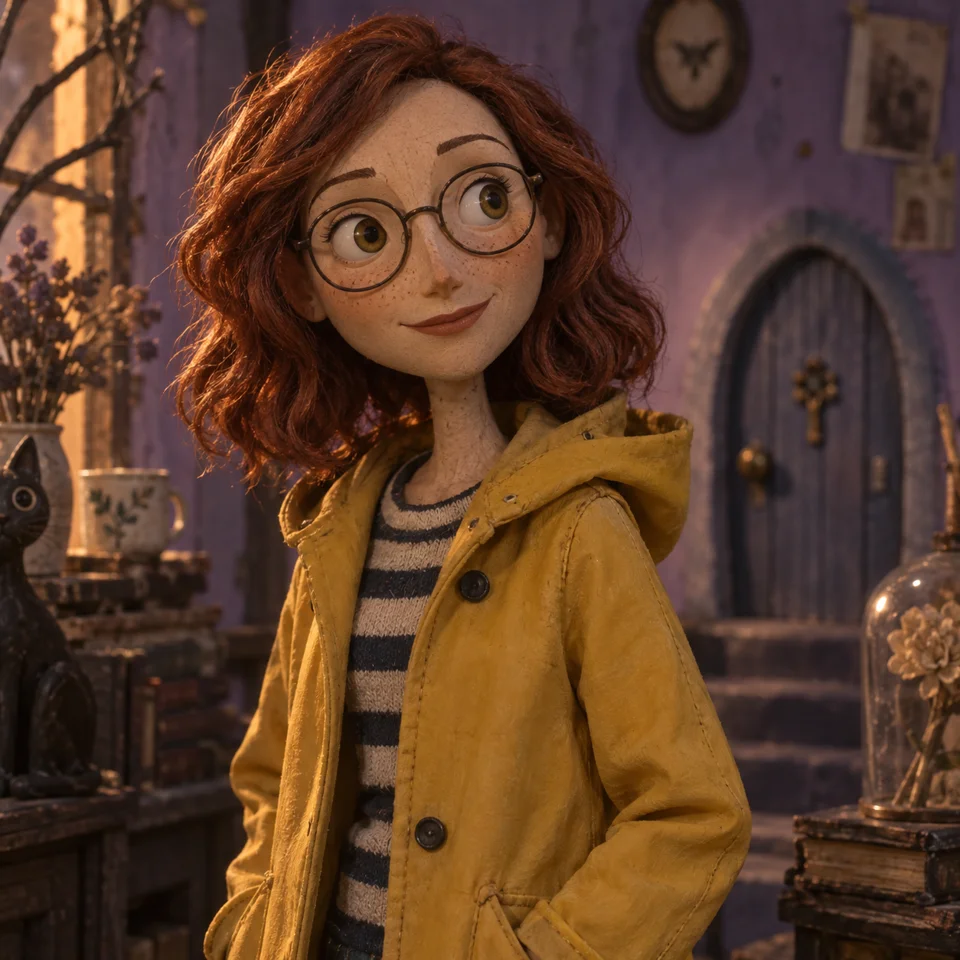
Auburn-haired puppet character with freckles, round glasses and a yellow raincoat
01 / MOVIE PORTRAIT

Turn yourself into a Coraline character

A Coraline character portrait combines sculpted features, expressive eyes and the texture of a handmade puppet. This example keeps the freckles and round glasses visible, while soft lighting gives the face depth.

Upload a clear portrait, choose Movie character and keep Natural eyes. Describe the hair, glasses or clothing you want your Coraline character to retain; select Yellow raincoat for the look shown here.
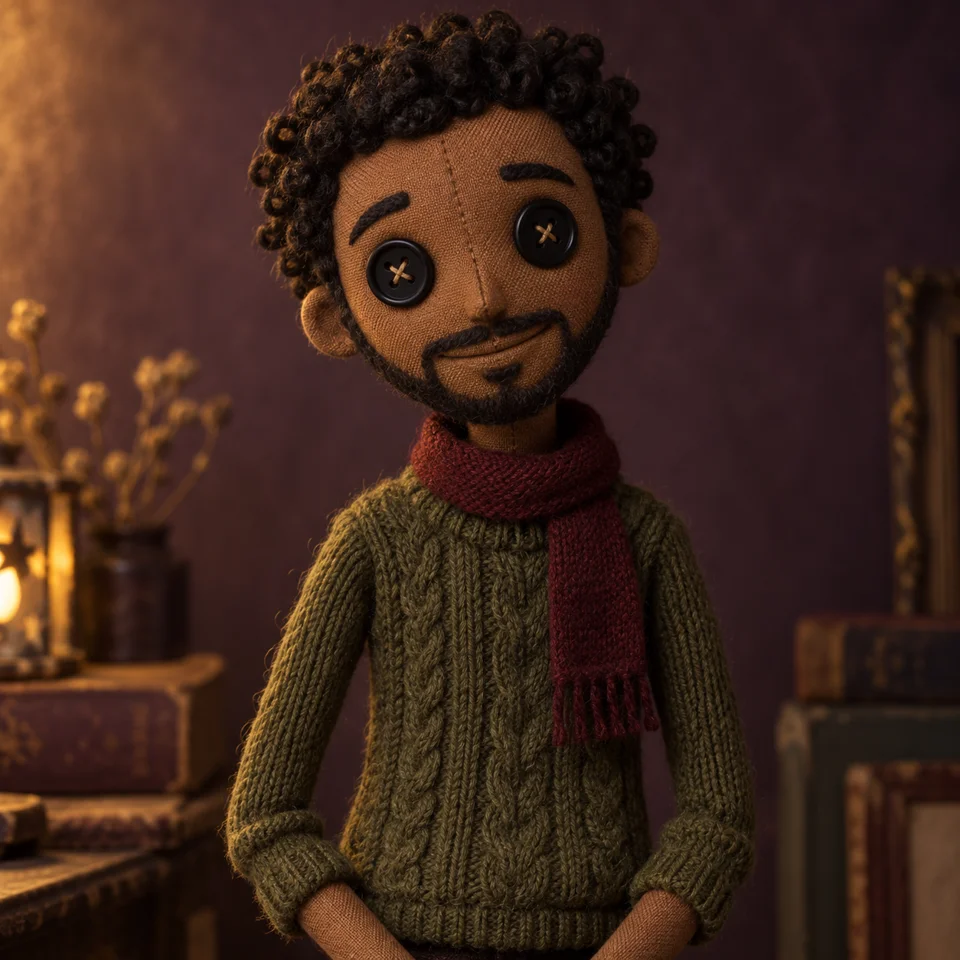
Button-eye cloth doll with curly yarn hair, a beard and a green knitted sweater
02 / BUTTON-EYE DOLL

Give your Coraline character button eyes

Button eyes change the expression of a Coraline character, so the surrounding details matter. Curly yarn hair, a stitched beard and a knitted sweater give this doll its identity. Fabric seams make the handmade look more pronounced.

Choose Button-eye doll, then describe a favorite sweater or distinctive accessory. For a recognizable Coraline character, keep those personal details specific: “short curls, a full beard and a green cable-knit jumper.”

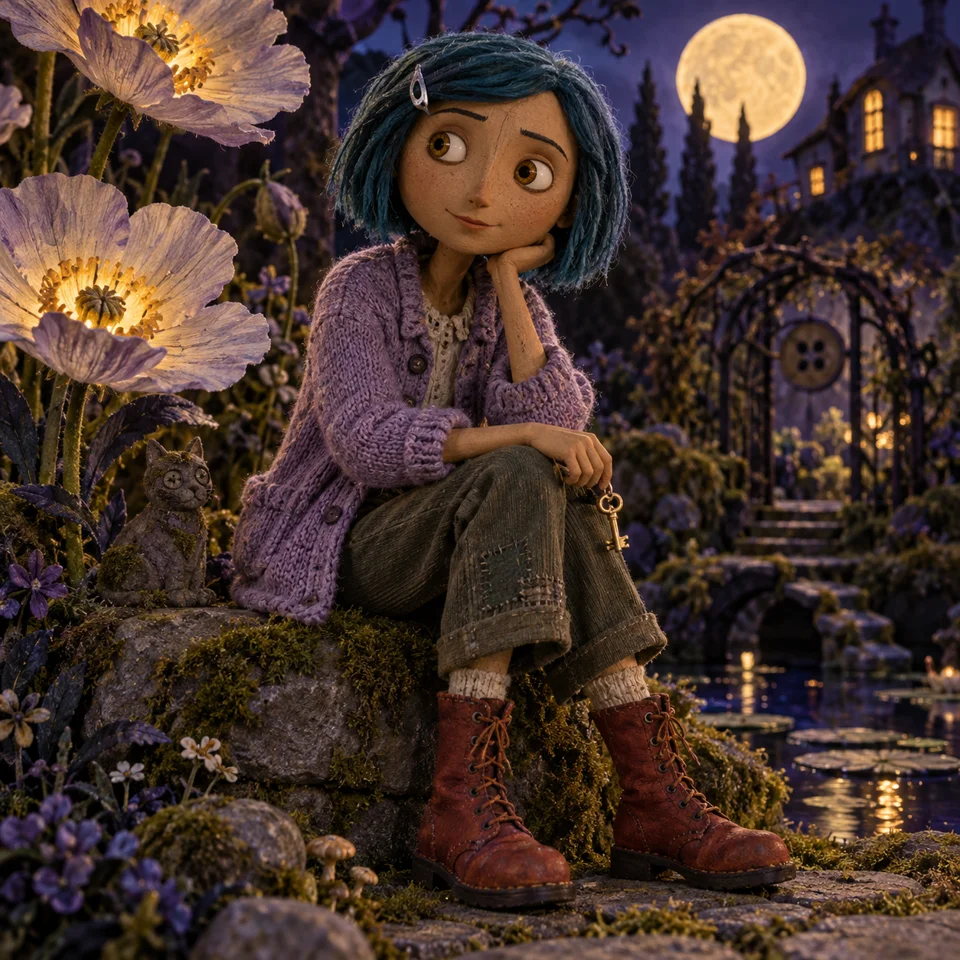
Teal-haired puppet explorer holding a key in a miniature moonlit garden
03 / MOONLIT GARDEN

Create a Coraline character from an idea

Your Coraline character can begin with a description instead of a photograph. The teal hair, tiny key and oversized flowers in this example suggest a curious explorer in a miniature world.

Leave the upload empty and choose Moonlit explorer. Give your Coraline character an appearance, an outfit and one action: “a teal-haired explorer in a dark coat, sitting among moonlit flowers and holding a brass key.”

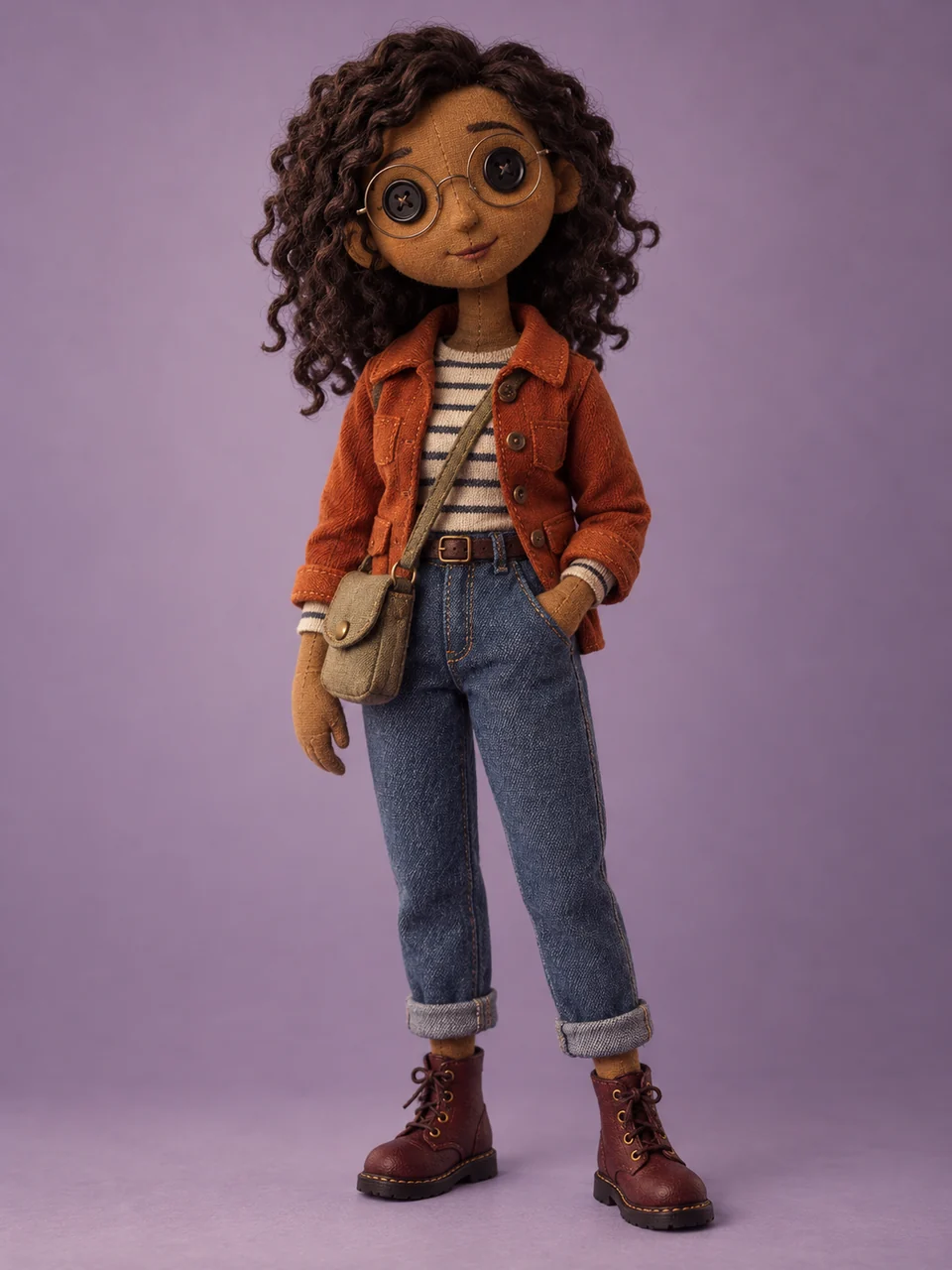
Full-body button-eye doll showing its outfit, shoes and fabric details
04 / FULL-BODY DOLL

Show the whole outfit

A full-body Coraline character gives shoes, pockets and accessories room in the picture. The taller composition suits an outfit-led design, especially when the clothing is as recognizable as the face.

Select Full-body button doll for a 3:4 composition. Describe your Coraline character from head to toe, including trousers and footwear, and ask for both feet to remain visible. A full-length reference helps show the outfit you mean.

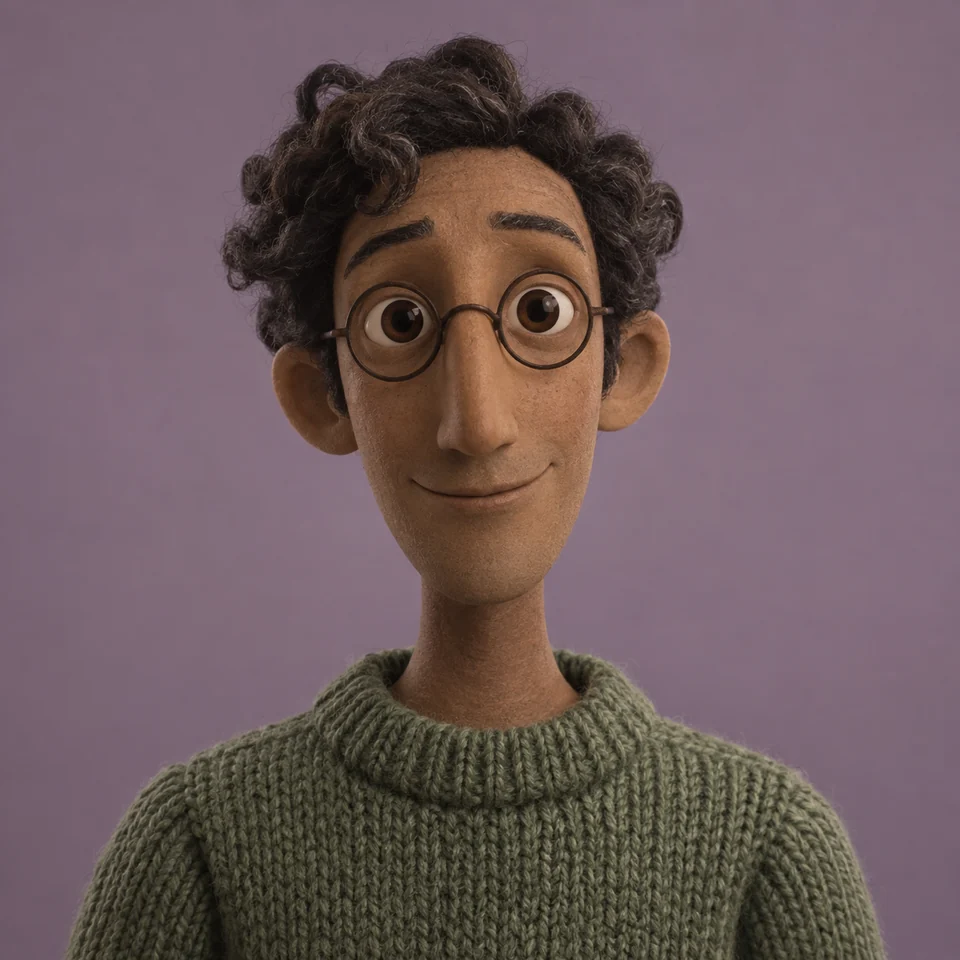
Centered puppet portrait with curly hair, glasses and a green sweater on a muted background
05 / MATCHING PORTRAITS

Make a companion portrait

Make a Coraline character for yourself, then a separate portrait for a friend. A centered face, simple background and shared eye style help the pictures belong together while leaving room for each person’s features.

Choose Matching movie portrait. After generating, select Make one for a friend and upload the next photo. Your Coraline character settings stay selected; the previous photo and personal description are cleared for the new person.

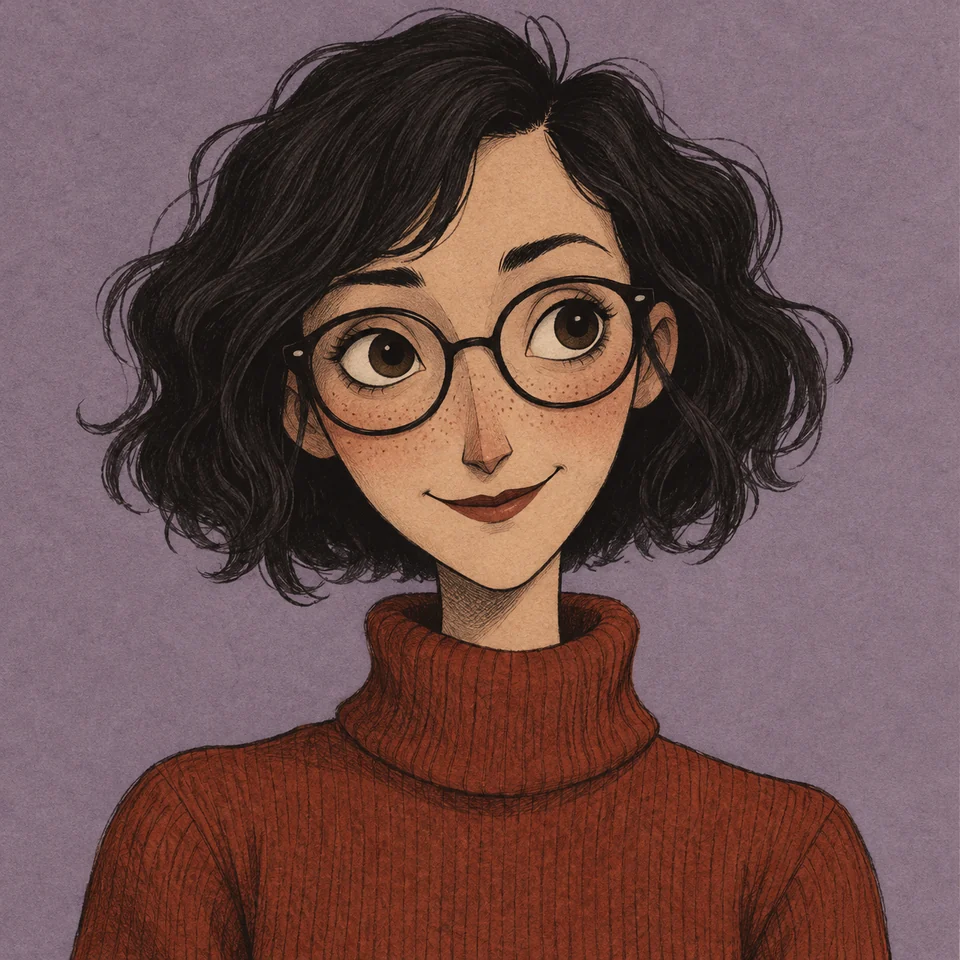
Storybook character portrait with ink outlines and textured paper
06 / STORYBOOK ILLUSTRATION

Try an illustrated Coraline character

An illustrated Coraline character trades sculpted surfaces for ink lines and paper texture. Choose this interpretation when you want a drawn profile picture with a clear silhouette and a quieter background.

Select Storybook character and describe the hairstyle, collar and expression. Keep your Coraline character composition simple for a small avatar: one face, a few defining details and enough space around the head for cropping.

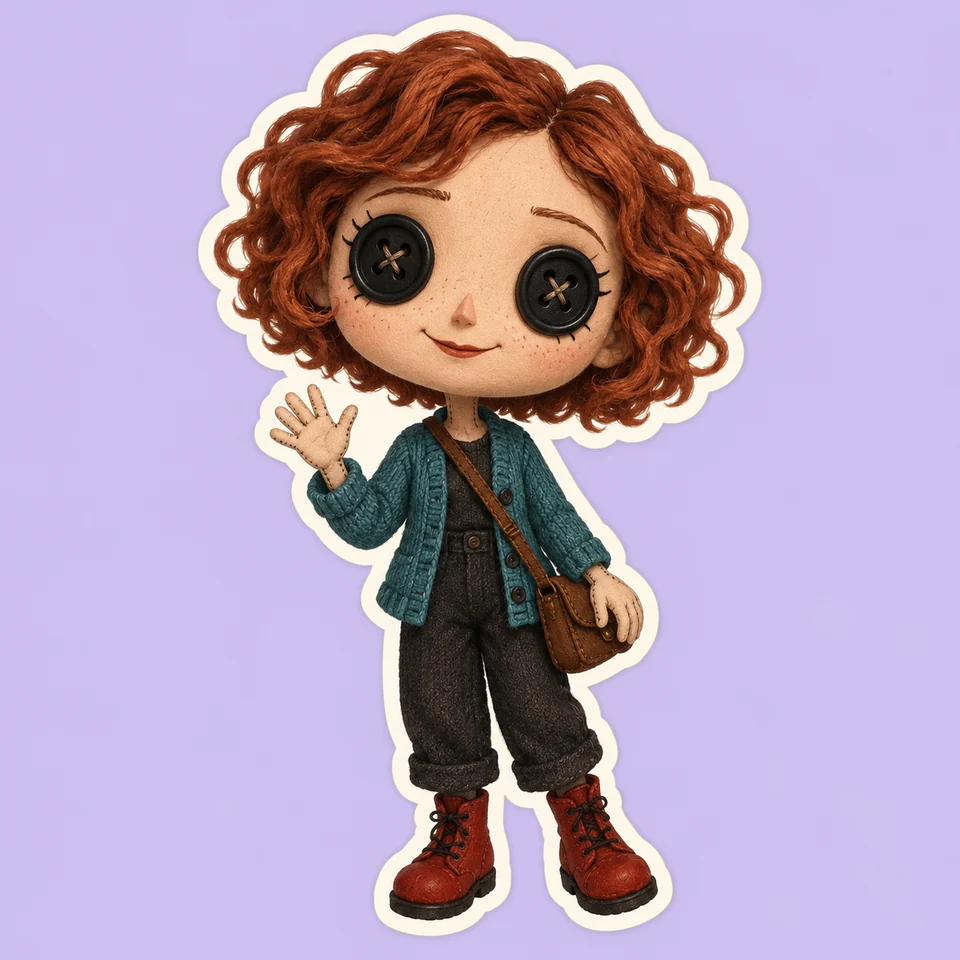
Miniature button-eye doll with an oversized head and cream sticker outline
07 / MINI BUTTON-EYE DOLL

Make a smaller, playful doll

A mini Coraline character uses a larger head and a smaller body to emphasize the eyes, hair and outfit. The cream outline in this example separates the doll from its background like a sticker illustration.

Choose Mini button-eye doll. Give your Coraline character one bold accessory, such as round glasses or a bright scarf; tiny details are harder to read at this scale. Keep the square framing for an avatar.

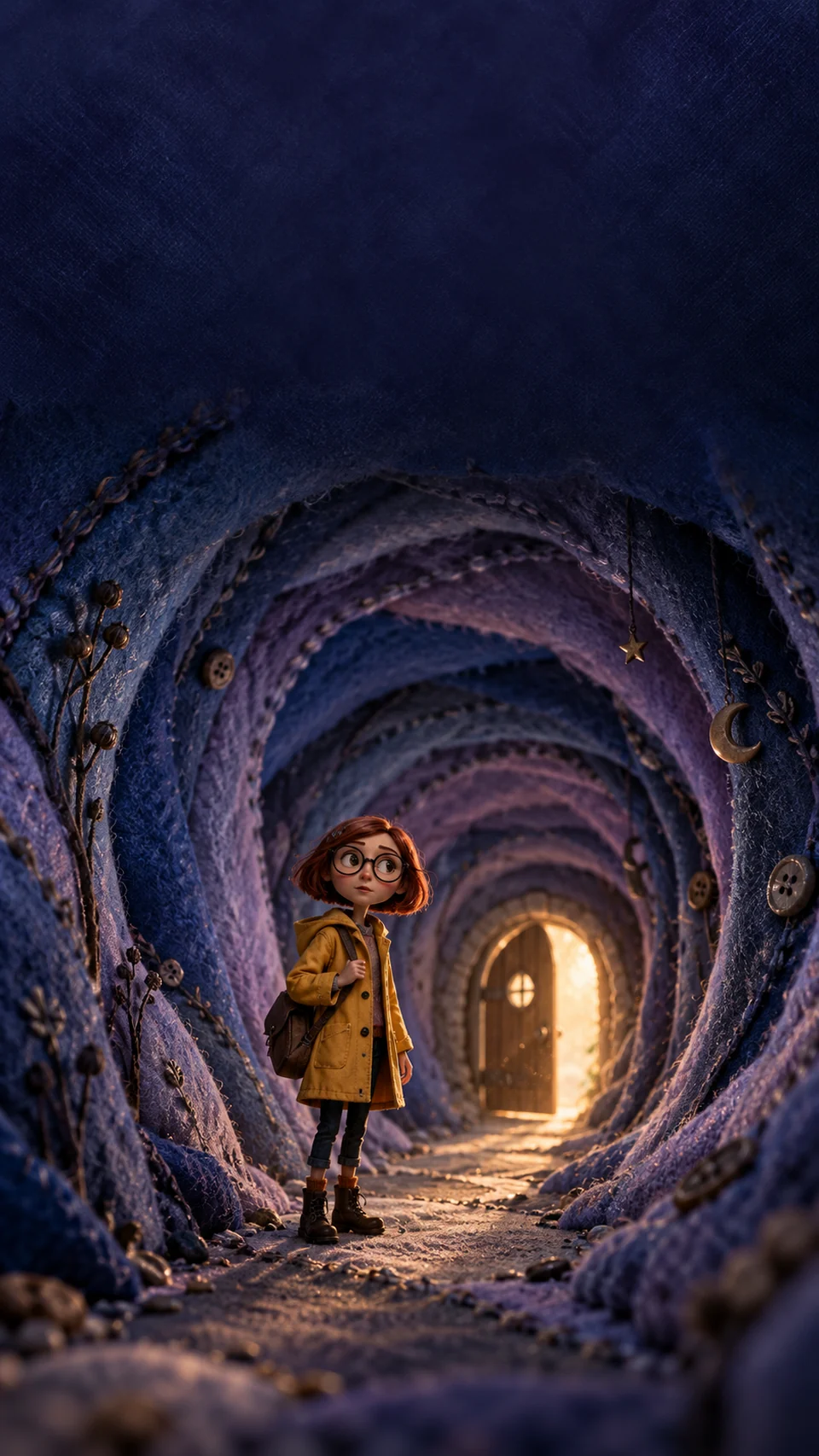
Yellow-raincoat character framed by a glowing miniature tunnel in a tall composition
08 / LITTLE-DOOR EXPLORER

Put your character inside the scene

Place your Coraline character beside a little door or inside a glowing tunnel. The setting becomes part of the picture, with a smaller figure and more space for the handmade surroundings.

Choose Little-door explorer for a 9:16 layout and yellow raincoat. Describe where your Coraline character should stand. For a phone background, ask for open space above the head so the clock does not cover the face.

FROM AN IDEA TO A DOWNLOAD

How to make your Coraline character

01

Upload a photo or write an idea

Start your Coraline character with a clear single-person photo. For a character from imagination, leave the upload empty and describe their hair, clothing and expression. Use a reference with an unobstructed face so the features are easy to see.

02

Pick a character preset

Choose a Coraline character template in the tool or beside an example. It applies the style, composition and aspect ratio while preserving your description. Open Customize the details to adjust eyes, clothing and background before generating.

03

Generate, refine and save

Check the displayed allowance or credit cost, then generate your Coraline character. Compare the result with your photo or description. Download it, try another variation, or choose Edit this picture to request a specific change.

Before uploading, check that your face is large enough to see clearly. Avoid heavy face filters and photos where sunglasses or a hand cover important features. If a small accessory matters, mention it in the personal details box. For a full outfit, choose a photo that shows the clothing you want to keep.

MAKE IT PERSONAL

Refine your Coraline character

A useful Coraline character portrait should reflect the person or idea you brought to the tool. Start with visible features rather than a long story: hair texture, glasses, a favorite jacket or a particular expression. When you select button eyes, those surrounding details become especially important for recognition.

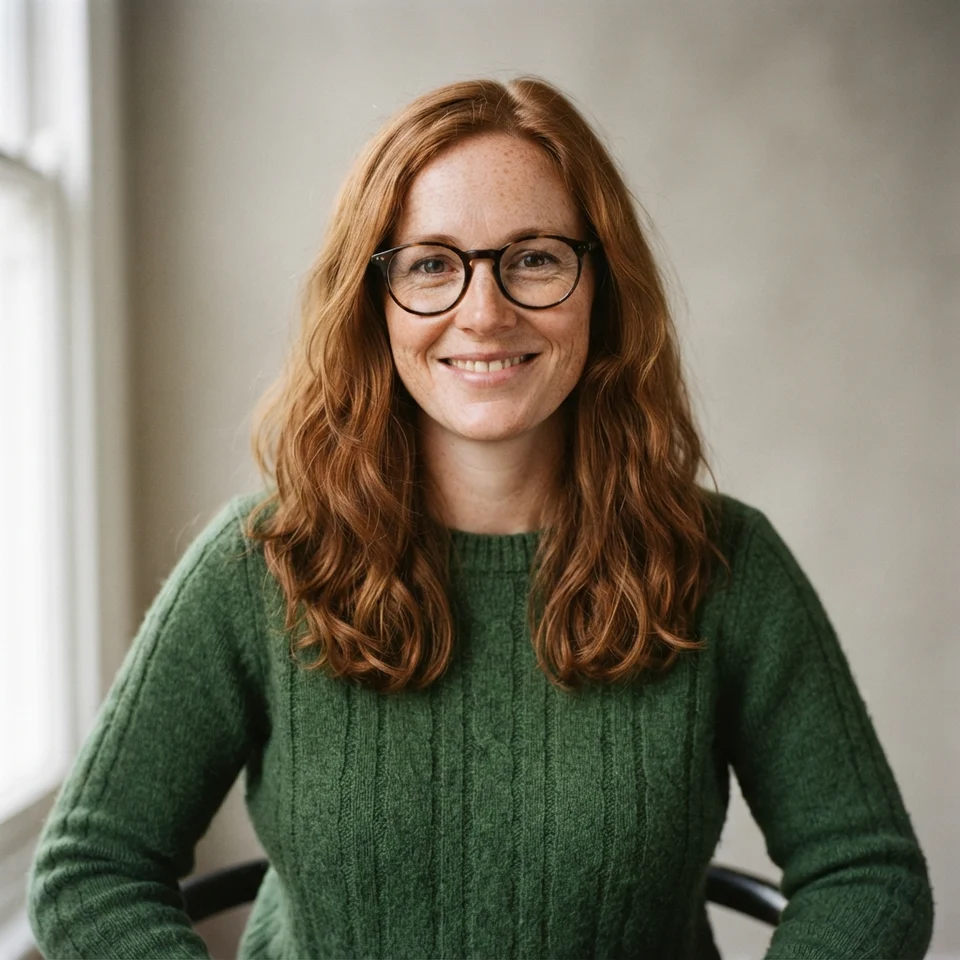
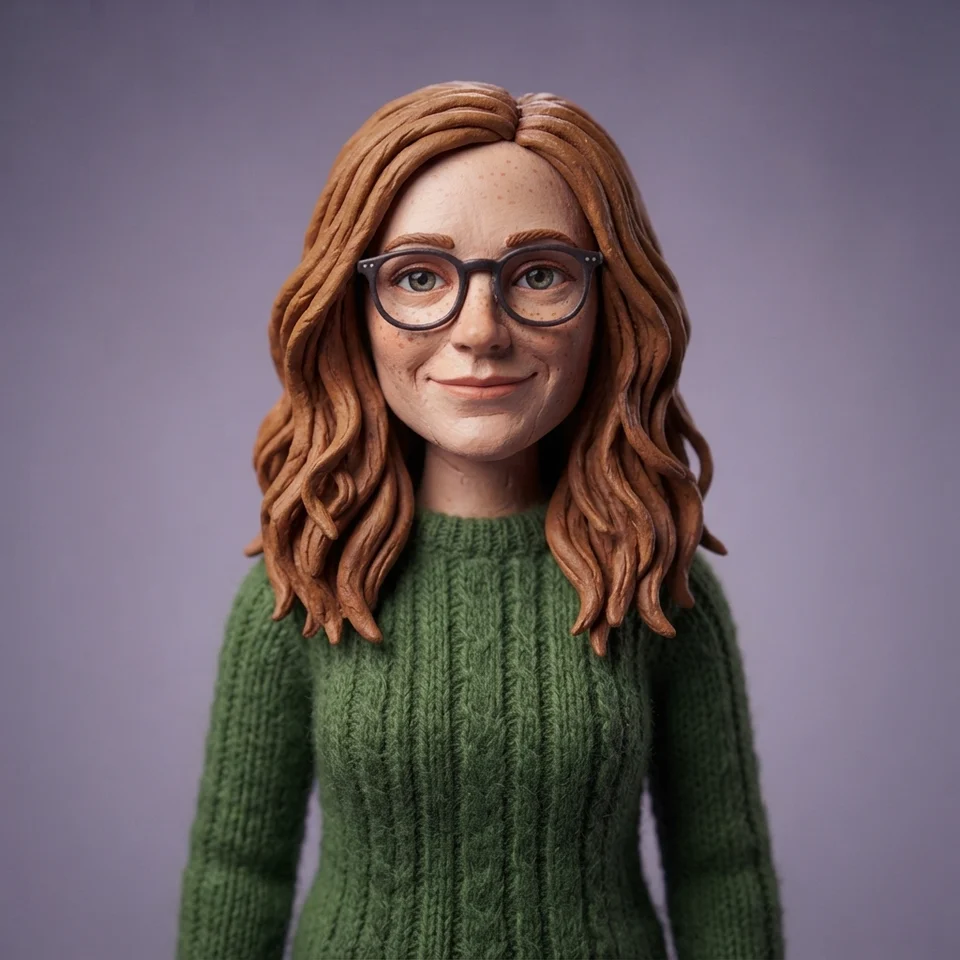
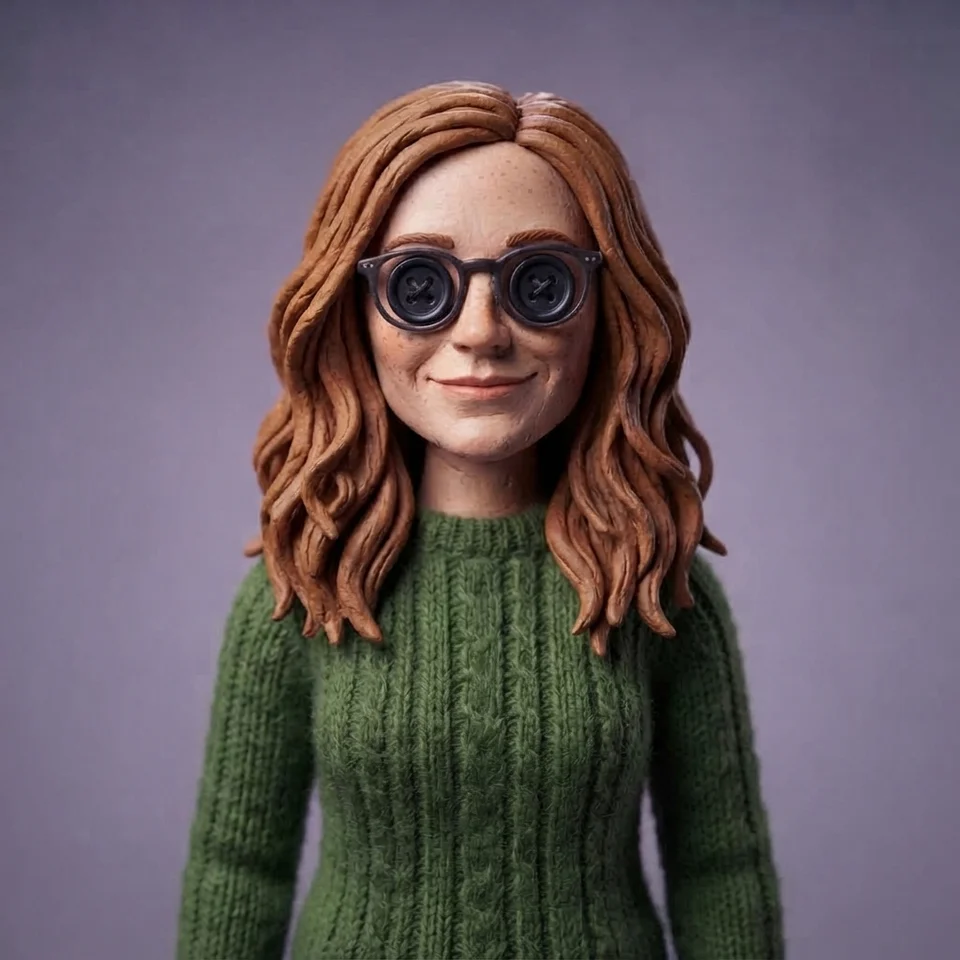
When editing a Coraline character, name what should change and what should stay. The photo sequence shows the original portrait, its movie-puppet interpretation and a button-eye edit. Compare the hair, glasses and sweater as well as the eyes.

From photo to Coraline character

Original auburn-haired woman wearing glasses and a green sweater
Original photo
Photo transformed into a handcrafted movie character with the same personal features
Movie character
The same generated character after editing the eyes to sewn buttons
Edited: button eyes
DETAILS TO TRY

Photo-to-character direction

Turn me into a Coraline character, keeping my curly hair, round glasses, freckles and green sweater. Give me a curious expression and frame the portrait from the waist up.

A focused edit

Change only my Coraline character’s background to a moonlit garden. Keep the face, hairstyle, clothes, eye type and pose the same.

Review each result before making another edit. Requesting one change at a time makes it easier to see whether the detail improved; AI edits can still alter other parts of an image.

A FEW THINGS TO KNOW

Coraline character maker questions

Can I turn myself into a Coraline character?

Yes. The Coraline character generator uses your photo as a reference for the face, hairstyle and accessories. Upload a clear portrait, choose a template and compare the finished picture with your original before downloading.

Can I make one for a friend or partner?

Yes. Create a Coraline character, then select Make one for a friend. The tool keeps the style settings and clears the previous photo and description. Upload the next person’s photo to make a separate matching portrait.

Do I have to use button eyes?

No. A Coraline character can have Natural eyes or Button eyes. Natural eyes emphasize the expression; buttons give a sewn-doll appearance. Choose the eye type in Customize the details or request a change after generating.

Can I change clothes, hair or small accessories?

Yes. Set the outfit and background before generating your Coraline character, and describe hair or accessories in the text box. For a finished image, select Edit this picture and request one change at a time.

Is the Coraline character generator free?

The Coraline character generator uses your available free allowance with the Standard model first. Other models use credits. The tool displays the applicable cost before submission; each new variation or edit is another generation.

Can I create a character from just a description?

Yes. Describe your Coraline character and choose a template without uploading a photo. The description stays beside the result so you can check the requested hair, clothing and expression, then refine any missing detail.